



Prefer mm/dd/yyyy over dd/mm/yyyy, or the other way around? Save your choice as your default date format so you don’t have to set it again for each chart.
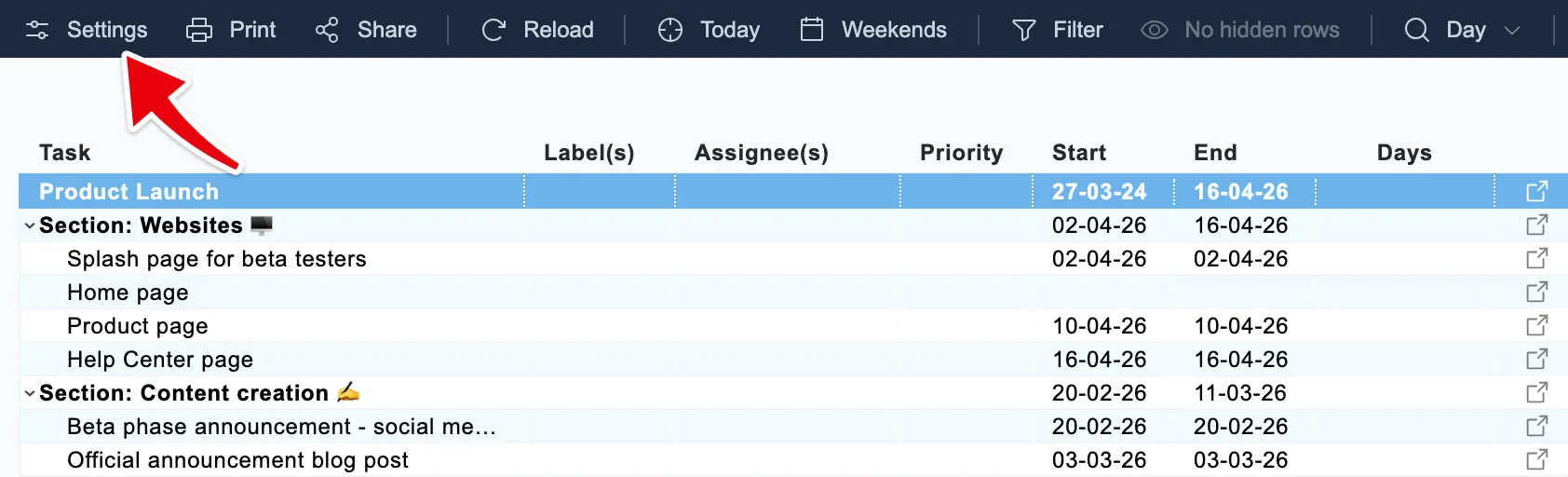
Click Settings at the left end of the chart’s toolbar:
Scroll to the bottom of the Timeline settings to find the Date format row:
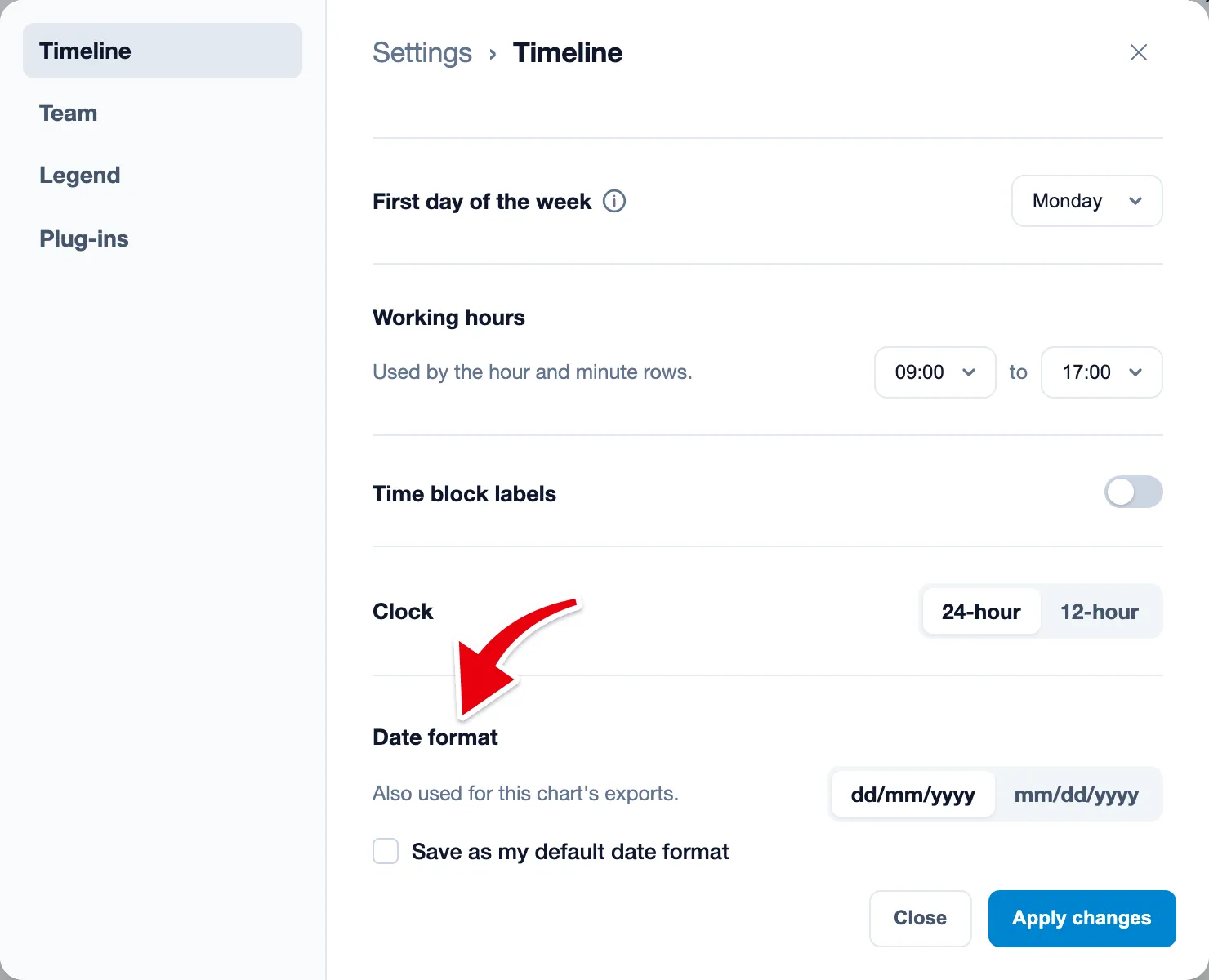
The format starts as dd/mm/yyyy. Choose dd/mm/yyyy or mm/dd/yyyy, check Save as my default date format to make it your default, and click Apply changes. Leave the box unchecked if you only want to change this one chart.
Your default applies to all your charts, including the ones you set up before. Want one chart to show dates differently? Pick another format on that chart and leave the box unchecked.
The date format you pick here also applies to the chart’s exports.