



Client project wrapped up, or your team moved to another way of planning? You can cancel your Ganttify subscription whenever you like, and nothing changes on the day you do. You’ve paid for the current period, so you keep it.
What happens when you cancel
Your plan stays fully active until its end date, which you see as soon as you cancel. Until then you keep planning in your charts as usual, and any read-only chart you’ve shared with a client stays live. On the end date the subscription doesn’t renew, so you aren’t charged again, and your charts stop syncing with your integration.
Your projects, boards and tasks live in your integration, and canceling leaves them exactly as they are. Your Ganttify account and chart settings stay for two months after your plan ends, so if a new project comes along, resubscribe and pick up where you left off. After those two months, you’ll receive a notification that your account is scheduled for deletion, and 14 days later it’s removed for good.
Cancel your plan
Open your Ganttify account, go to Subscription and choose Cancel.
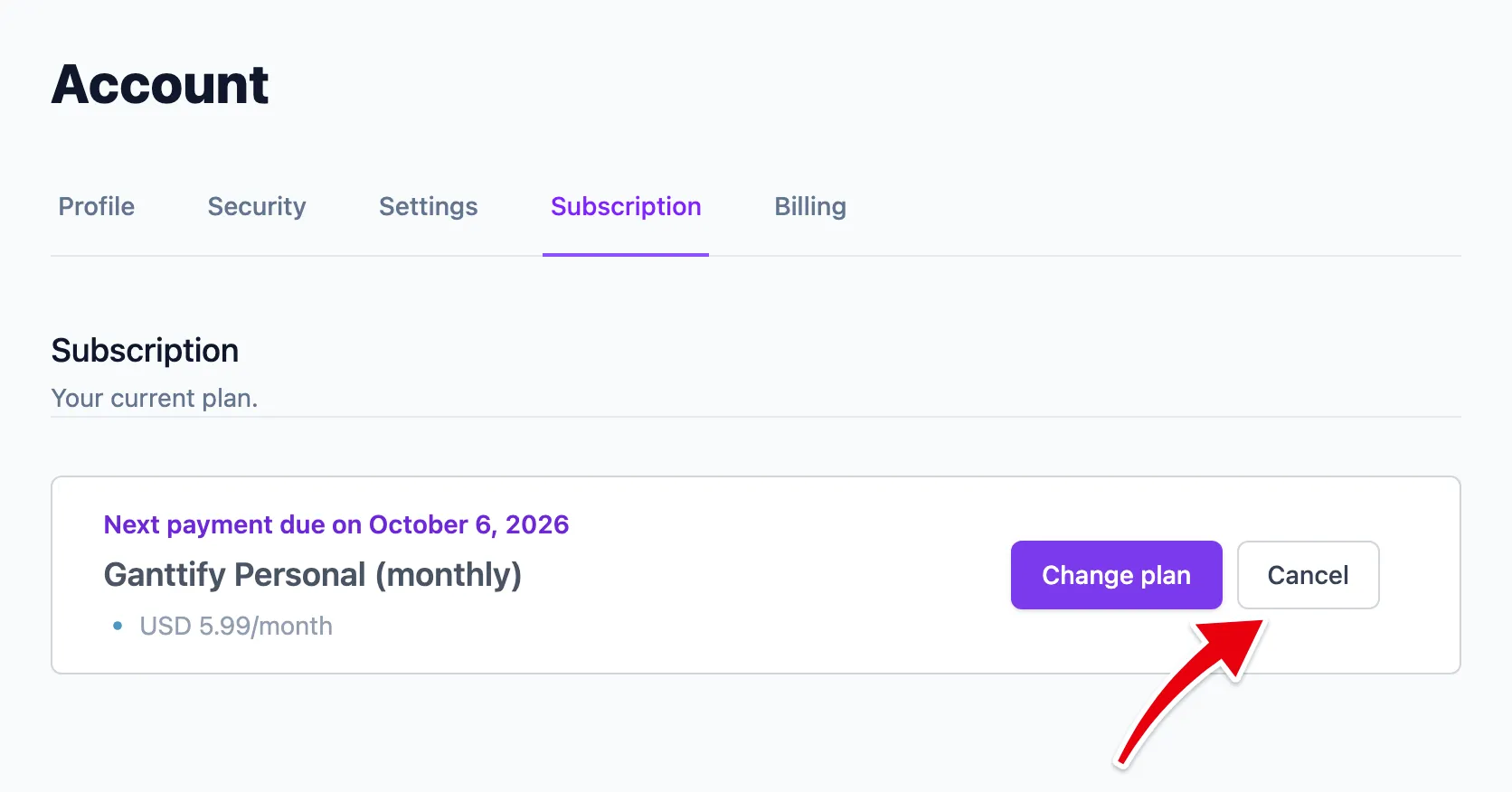
Before you confirm, you’ll be asked for the main reason you’re leaving. Your answer goes straight to the people who build Ganttify, so a line about what was missing really helps. Choose Cancel my plan and your end date appears right away.
On a team plan, the account owner cancels for the whole team.
Leaving for good?
Only need a smaller plan? Switch to another plan instead, and your charts carry on as they are.
Canceling keeps your account for two months after your plan ends, so coming back in that time takes a minute. If you won’t be back and want your details gone, close your Ganttify account instead. Closing ends any paid subscription right away, so cancel first if you’d like to use the rest of your period. Only want to change your email or name? Update your account.